
Project CBCN:Computer-based Collaborative Notetaking

Bo Adan, Center for Electronic Study, University of Oregon, Eugene, OR


>> My name is Bo Adan, and I am on the faculty at the University of Oregon. We do research in -- there are institutes within institutes. Pockets within pockets. And we are federally funded to do work with various special needs and at-risk populations, so some of our work includes a migrant education grant. There is a five-year project to work with secondary school students, who are in the migrant ed population. We have recently done research with learning disabled and hearing impaired and upper mobility dysfunction in the secondary schools.

And this current grant, which is federally funded by the office of special education programs, does work with post-secondary community colleges, and transition to four-year institutions with the hearing impairment population, and what we are doing, I think, it is really nice, I originally Cheryl had scheduled me to make this presentation, I think it was at 9:00 this morning, and a couple of weeks ago she called and said, can you do it later in the afternoon. This is right about the time I want to take a nap, so that wasn't my first choice. But, in terms of the pedagogy in terms of what we have been doing today, this really flows well from what we have been talking about. The assistive listening and learning devices that were talked about in the full-day workshop yesterday, and in this morning's workshop. Not the first one, but the one before lunch, with Terri Goldstein, and talking about college choice, and student access.

So, I think that, what I want to do is I want to make this presentation to you because I worked so hard on it, but really, I want to open it up and have a discussion with you all. I want to demonstrate the technology that we use in the post-secondary education setting, and, and then get some feedback from you and see how it is you can see yourself using this technology, what impediments it might provide because as you saw yesterday, there is this wonderful technology out here, but once you set it up, sometimes there are problems. And what kinds of problems, as well as successes, so you think you might encounter using some of the technologies we saw yesterday, as well as something that we -- that I will show you today. Because, clearly, the technology is always up and coming and improving, but it still has a long way to go in some areas, if we want to make this facile, in other words, we want to make this as easy to use for our students and service providers in the classroom. So, let me step out of my own way here.

So, the current research that we are doing feeds off of an earlier project. It was called Project Connect. We were working in the secondary schools with learning disabled and hearing impaired populations to provide in-class network note taking, which means that we were going into the schools. We were, both training and ourselves, conducting network note taking, network note taking simply means, as a term of art, that we are doing wireless note taking. It is simultaneous. It is collaborative, and it allows for both the student and the service provider, whether that be an interpreter or, or a staff person or a hired note taker, to take notes simultaneously with a student, as we talk about this more today, you will see that for various -- for the various populations there is greater or lesser degrees of simultaneousness, so with a student who is profoundly deaf, that student may be using the notes as a resource, but is not collaborating as much because that student will be looking at the interpreter. Students who have mild hearing impairments, will be doing much more collaboration with the note taker in class. So, the -- so, this system is, is facile in the sense it allows for various uses.

The CBCN part of this project stands for computer-based collaborative note taking. The computer-based is what I will demonstrate for you in several minutes. The collaborative is what I have alluded to. It allows for both note taker and student to work together to develop notes and note taking strategies in class. And then the note taking is exactly that. We also do work with students outside of class, and in talking about study skills and study strategies but that's a different component than what I am going to be talking about today. What we are doing, in this project, in the earlier research, we were working, we were working in the classroom. We were working with resource room folks. We were working with, with Voc Rehab. We were working with regional programs, particularly in our program, which was localized in Lane. We were working in Lane and South Lane, so we were the secondary, then the middle and the high schools there, but primarily there, we were going in, rather than training other people to do the work, we would go in and do the work, show people was we were doing, and we would also have them help us.

What we didn't like about that is that once that grant was done the work was done. The project was done, and there wasn't a way to continue this effort. And so we wrote a second grant that would work with, so that we could talk to high school students who were going to be going into college but then be in the colleges and talk with the disability services, staff with voc rehab, outside of the schools who are service providers, and to try to train them to do some of this work, and teach them, so train the trainers, in other words, so that this work would carry on after the life of this grant, because we are in -- this is a -- there particular grant is four years in duration, and we are nearing the end of the second year. And we are spreading ourselves very thin. At this point, we are in a few community colleges in Oregon, we are going -- we are now expanding into other community colleges in the western United States. That's as far as we can go, and as the project coordinator on the grant, that's faster I can go without literally splitting into lots of pieces. So, we are working with college disability services staff to provide that academic support system. We are supporting the hearing impaired students in class. This is in their regular education classrooms, so we are going in, like, like you saw yesterday, I am sorry, was it Patti?

>> Pat.

>> Pat, excuse me, as Pat was talking about, there are several note taking systems. There is CART and CAN and C-Print. There are varying costs, and other issues associated with providing any of these services. Likewise, with this service, this service tends to be less expensive than the other ones, but there are always costs and benefits to each of them. So, my point in presenting this information to you, just in a brief hour today, is to encourage some of you who might be interested in seeing how this might work on any of the college campuses that you are either teaching at or where you, or where you are coordinating with, maybe what we could do is come out and do a presentation, but there are a lot of different things out there that are very valuable, and so it is not really that one -- one is better than the other. Using as many of these technologies as are available, I think, is probably the best strategy.

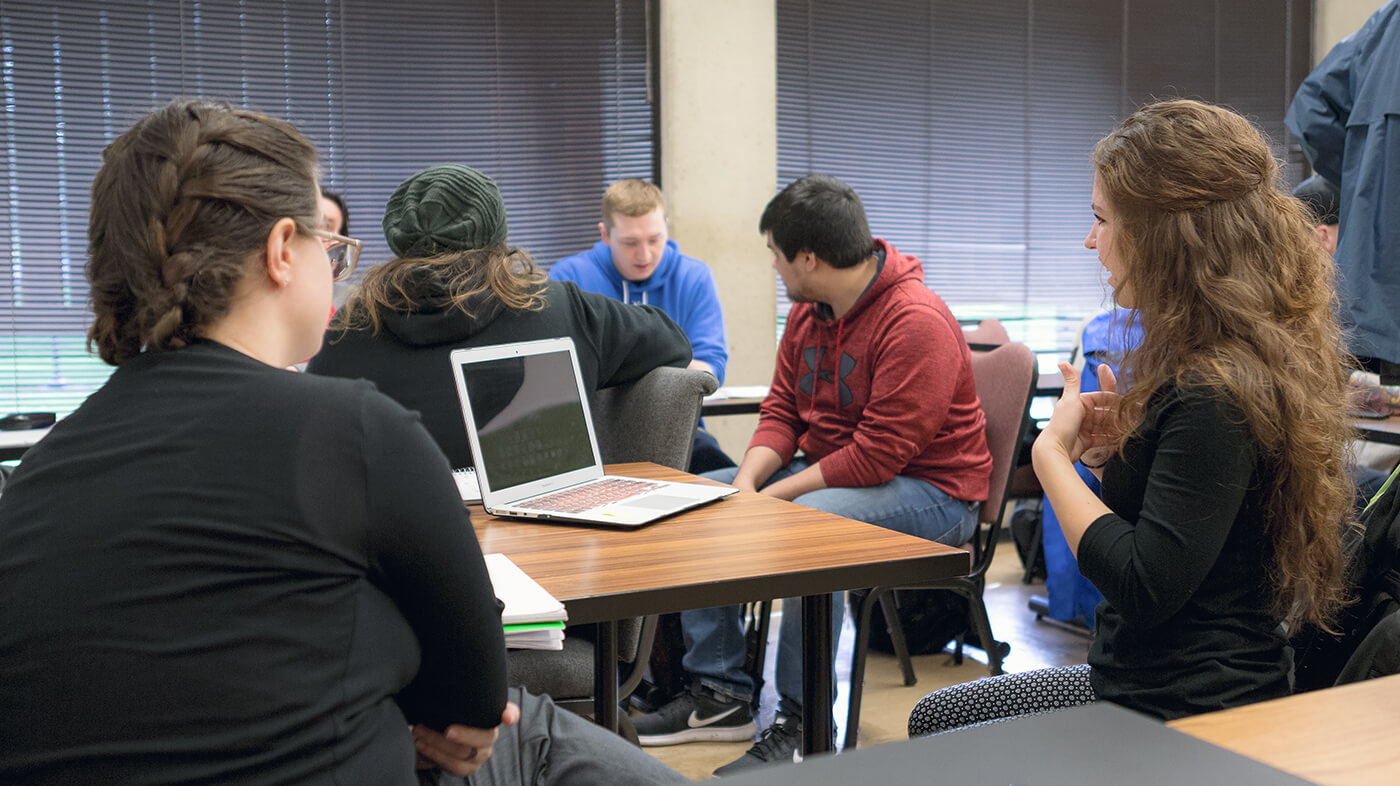
And what we are doing is we are supporting them in class. We are training note takers and students, were use Mac laptops in this case to take notes from lecture and discussion. What's really nice about there is that with the, the laptop computers in the classroom, what you can also do is when the lights go down, and there are video presentations, you can still be taking notes, obviously, because with the, the back lighting on the computer, you can still see what you are doing. In class, you can take notes, it also, because of the portability, you can also move from desk-to-desk, so that if you need to -- a lot of times, you will have projects in class. This was especially true when we were in the secondary schools. It is also true in the, in the general education classes, in, for undergraduates, in writing classes, for example, or labs, in biology, that you are working in small groups, and when you do that, the portability allows you to move with the student rather than, than bring everybody into a corner somewhere of a room. So, that's a nice advantage of this technology.

This moves slowly. Some of the places we have worked, include Lane Community College, Chemeketa Community College, we are trying to set it up at Portland Community College. Clark Hochstetler, the director of disability services there wanted to start this up in the past year but was on sabbatical for the entire year, so we are waiting until he gets back to make some moves there. There has been some interest expressed, I can't remember the name, it is a community college in Oakland but it is not called Oakland Community College. Oakland, California, not Oakland, Oregon. And at -- I have talked to some folks here this week, in fact, from southern Idaho, who are interested in implementing this, and from Utah State College, as well.

This is a community college disability services interpreter. If you have all got the handout, you can follow along or follow with the interpreter. I have captioned what she has to say in each of these slides so you can read along here. She's been working in our project now. She worked with us in our previous research, so actually --

>> Some people need the handout.

[video shown]

>> Oh, we have got -- they are up here. She was actually with us in our previous research in project connect, so had worked with students who were transitioning into LCC, from high school at the time. What has been really neat about having done this work for several years now, is that we just got a call from her a couple of weeks ago saying, oh, so and so is going to be graduating from high school, and wants to be in this program, what do you think and what you want to come out and meet with us, and I said, oh, yeah, we worked with him in 7th grade science, so all of a sudden we have students more familiar with the technology than even some of the disability services staff because, except in Cathy's case, because she's been with us all along, but this kid has been using this on and off now for five years. So, he's, he's ready. He's ready to -- he's ready to take this into school.

We have another who is going to be going to the university -- this is at Lane Community College. Another student who is going to be attending in the fall, the University of Oregon, same situation. And he's going to be majoring in, in chemistry and physics, and we are still trying to think about wow, note takers for chemistry and physics, that will be the next challenge but the technology is up to the task. Let us hope. All right then.

>> The instructor specifically said they don't know how to work with students with hearing impairments. They don't have that experience. And they don't think about the simple, every day things that we totally rely on our hearing for. So, having an instructor in the classroom writing notes on the board and continuing to lecture to the blackboard while they are making notes is information that these hearing impaired students generally miss out on, especially if they don't have any additional accommodations.

>> So, what -- these are some of the issues we have been talking about in the last day or so, is that we have got -- there are people working with Vocational Rehabilitation. There are people who are working on disability services. There are people who are working on service -- as service providers in other ways that are familiar with these issues. And the instructors, when you walk into the classroom, as a hearing impaired student or a learning disabled student or students who has a need for an accommodation, it is not -- we did hear from, from, from Martha this morning that sometimes, you walk into -- a student will walk in, and know that they want an accommodation, and need an accommodation, but meet reluctance or stubbornness from an instructor, and that's true, but we also have instructors who are incredibly well meaning, who would bend over backwards to do anything and everything that they can. They simply don't have the expertise for working with an accommodating student, and this is what Cathy was speaking to.

So you will have a teacher who will be talking to you like this. As they are writing on the board, and they have no idea that you are missing out. And it is not because they are insensitive. It is not because they are unkind. It is not because they don't know what they are doing as teachers. They simply don't know how to meet this special need. And so our project, as well as to work with the student is to help educate the educators, as we are all trying to do.

I have a friend who is a Ph.D. years ago in geology, and she and her fiancee went to California to meet her -- his parents. And they were, I don't know what had happened, there was maybe, maybe a tremor that had been happening in California at the time, and the, the parents asked Judy, do you think the soon to be daughter-in-law, well, do you think we should get earthquake insurance? And without missing a beat, without hesitating, she said well, yes, of course. And even though they had asked her, they really wanted to hear a safe answer. They wanted to hear no. Because once she said yes, then she had to convince them, even though she felt no need to have to convince them, but she had to convince them, and even still they weren't into it. And she says, well how can you be so sure, and she said, well that's what I do. See. For her, having studied tectonic plates all her graduate school life, she knows, she understands the need. She's keen on that and sensitized to it, in a way that we working with deaf and hard of hearing population are more sensitive and sensitized to, to the needs of this population.

Whereas, the regular education instructor who, if that person is, is not deaf or hard of hearing, or is not married to someone who is deaf or hard of hearing, as we have talked about, or has a child who is deaf or hard of hearing, doesn't have that exposure on a day-to-day basis, and so forgets or never knew how to accommodate and meet the needs of those students. So, I think what Cathy is saying here is really incredibly important, is that there is -- she's not saying that there is anything wrong with these instructors. They simply don't know.

So, what networked note taking is doing with these students in the classroom is, is we are working with, with students who have enrolled in their regular education classrooms. That sounds almost trite, but it is important to note because the point is, to be with these students where they need the assistance. And they need the assistance in their regular education classrooms. This is not remediation. It is compensation. It is how do we say, what are you doing here. What you are doing is, you are trying to, to pass your biology class. You are trying to pass your English class. You are trying to learn something. You are trying to hear something. Well, where are we going to help you? Not, with tutoring outside of the classroom, we want to be inside the classroom and doing note taking with you. Where are you needed? Which is then and there.

So, they need that in-class support for equitable access to information, and we have an assumption, as we are working with them, that they want to improve their language acquisition, reading and study skills, and some students don't. And that's important to know because sometimes, my ego gets in the way because boy, I think this is so great and I want it to help anyone and everyone it can, but there are students who don't want the assistance, and you have to be open to knowing that they may not want this type or that type of assistance. The students, some of the students we worked with at Chemeketa Community College in Salem for those of you, I don't know how many of you here are from Oregon or not, those students are almost exclusively coming from OSD, Oregon School for the Deaf. Those students' primary and almost exclusive form of communication is ASL. That's how those students want to receive services in a classroom. And they don't want the note taking. And that -- some of them were really happy to have it, and into it, into the, the nice technology, as much as anything else, but some really didn't want that, as either a form of access or communication.

And so we had to, to take a step back and say, okay. We understand that. And this isn't for everybody. This is for students who want it, not -- it is not something that you, you know, like a parent, say you will have this because it is good for you. It is, working with those students and various students to see who this best serves. So, and, and I should add, one more thing, this may or may not be to the student's benefit, but again, we are not their parents. And so we have to decide, you know, we have to decide what our role is in, in advocating with them and having them advocate for themselves. Because we have had students who said that they don't want this, and there is one in particular that comes to mind. He was going there for about six months. He didn't want it any more, and we said sure, no problem. Fine. And we started working with another student because we have limited technology -- numbers of computers. And three months later he came back to us and said, you know what? That was the biggest mistake I ever made. How can I get back in, and we said, sure, fine, you know. We had to wait until another pair of computers were freed up, but then we were ready to work with him again.

Some students, though, like I said, with Chemeketa, they don't want it, and I am not sure -- I mean, I am sure that that is not to their benefit because in one particular case, a woman was taking two English classes, a history class, and a biology class. And yeah, the biology, too. All four of those classes were text-heavy.

She had a lot of reading to do. And yet, her reading skills were not very good, and we talked with her about how this note-taking service, to the degree that she used it or didn't use it, it can still benefit her because if she had the notes to refer to, after receiving ASL services, she could start making connections between the concepts that were being signed and the words. Because she was having trouble simulating the reading that she was doing at home. And that's a problem that a lot of the students, they don't make that connection or see, so that's why I include that what we are doing there is, we are wanting to work with students as much because they think, and as much because we are trying to prod them, move them toward recognizing this will help them improve their language acquisition skills.

There was a student, one more anecdote. There was a student at a secondary school in our previous research who had the epiphany. It clicked for her that one day she was in her biology class, and she didn't know meiosis. It was either that or mitosis, cell dividing, and she didn't know that. She said well, what's that? And she read it in the notes. And her interpreter signed it, oh, she says, I know that. She knew the concept, she didn't know the word. And if she didn't know that she didn't know, she didn't know the difference between the two, she would be at home reading chapter whatever, three or four, on meiosis and mitosis, because she knows the concept but not the word. And when she understood that there was a gap, not in her learning, but between language acquisition, text-based and English acquisition, that's language based, she started using the notes in different ways.

So, what do we do? So, this is the need for these students. What we do is computer-based collaborative note taking is using laptop computers, radio wave networks and collaborative software. I will describe each component of these and tell you a little bit about them. The laptops, I am actually going to bring all of these up all at once. Don't feel like you have to simulate any of this. It is just a bit of history so that I can show you where we are at now. The laptop technology has been around for several years now. The earlier versions, these Power Book, 145s the Power Book 145s were out around '91, '92. The only way that you could have interconnectivity between computers was to use a printer cord at the time. So, that made you pretty static in a row, unlike what I told you at the beginning of the presentation, which is what we will get to in a little built. Where we started, we were in a classroom but you were basically sitting side-by-side, and to a degree, that can get to the student, you are putting them into a corner or a part of the room, not allowing the students to move freely as you would any other student. You are setting them up.

And what was nice about the evolution of the technology, as you can see not only was the technology getting better, but physically, geographically it say freeing up the students in the room, and the interpreter, and, and the note taker. So what happened was that we have -- the reason I put these up here, is also to say that all of these technologies are still available, and they still work, and they are still inexpensive because the, the newer, the technology gets, the cheaper the older technology gets, and while I wouldn't recommend a couple of these early models that I am going to talk about briefly, several of these, which are now a few years old, are on the market, inexpensive. You can get them refurbished. They run the same software I will be demonstrating for you today, and they, you know, they work just fine.

Computer technology, unlike other industries, the computer industry -- the computer industry has a computer turnover every six months to a year, they come out with something bright and shiny, new and improved. Well, however new and improved it is, it is not all that much better unless you are something who -- you are somebody that is a graphic designer or architect, and somebody that needs the brand new software to accomplish what you do in your work. But if you are doing this kind of in-class writing, when you are talking about using these computers for word processing, and for accomplishing your assignments and doing all kinds of other things, you don't need to have the highest machine that's out there. And if you wait, if you like a high-end machine, like one of the ones I will show you, if you wait another six months, even those machines will come down several hundred dollars in price, so as I like to say in meditation, just everybody take a deep breath, you know, just wait and the prices will come down.

As the technology evolved, they came out with a power book -- these 520s. What was nice about the 520s at the time, and those are the ones still available. They are black and white. However, they have two battery ports. And so that's great in a classroom, because you have double the battery life of these older model laptops, so if you want to -- if you know you are going to be note taking as a note taker or as a student, if you know you are going to go from class a to class b to class c, one after the other, then either you need a place to plug in eventually or, you need -- or you need a computer that sustains use for several hours without interruption. And this 520 allows you to do that. Again, the newer model, that I will show you, even though it only has one battery port, they do last several hours now because the batteries have improved. But that was an issue for us yesterday, right, we were talking about the, the, we were talking about the assistive listening devices, and which one were we talking about?

>> The FM system.

>> Thank you, we were talking about the FM system and that
They eat batteries, and I have had that experience myself in a class with, with, I was working with a graduate student in philosophy. And we were in, because she's a graduate student, the nature of those classes tends to be two and three-hour seminars, rather than a 50-minute lecture three days a week, so one particular class that I did note taking with her in was a 3-hour -- 3-hour seminar once a week, and by the second hour, between the second, going into the third hour, she was having problems with that. So, even though it seems like sort of a silly issue to talk about when we are talking about this high end technology, batteries are what power the technology and it is really important to think about that if you are thinking about using these technologies in the classroom and again these power book 520 models have those power points. The G3, which is -- I left this too high. This one. Is a really nice machine. But, it is more for presentational work --

>> audience speaker:  Would you like me to move?

>>Bo Adan:  No, no, I can't lift it because it is plugged into too many things. These are wonderful machines. They aren't necessary for doing this work. What's really nice about them, though, is that they have come down considerably in price. I mentioned the migrant education grant that a colleague of mine is involved in. She was able with the Oregon State Board of Education to, to get about 20 of these. At some, you know, wonderful discount, not only because she was in the ed institution but also buying several of them at, at one time, and also, then again, because these G3s which were so wonderful two years ago, are now, which were so wonderful two years ago, they are not dinosaurs but falling now that we have Ibooks and the G4 and all these other brand new banking technologies, so all after sudden, a computer, which honestly, this is like, I don't know what, this is like a 1995 Toyota. You know. It will still run for another hundred thousand miles and you don't need to trade it in. If it works just fine for those purposes and it is wonderful in the classroom and what she is doing in the migrant ed project.

But what I really want to talk about are these Ibooks, which although they are newer on the market, they, are actually less expensive than these G3s were. These are running right now, maybe about $1400, $1500, and that's actually for the newer models now, which have firewire, which people are using for digital video, which you don't need. These first generation Ibooks are now at about $1,000. So, they are coming down very quickly. What's nice and what I skipped with these other models is that we went from using these printer cords to an infrared technology. And the infrared devices, we called wireless, and they were kind of, sort of wireless. What they allowed you to do was take an infrared device and hook it into the back of one computer and take another infrared device and hook it into the back of another computer. I could be here, you could be in the back of the room, and we could get these computers to communicate together.  The problem was --

>> audience speaker:  At what point in this progression of text does that fit in?

>>Bo Adan:  Yeah, those were -- you could use the infrared device with the 160s and the 180s, the 520s, the 190s, and yep, you can. And if you wanted to you could use it with the G3s. And the infrared devices were hit and miss. They were effective, but you had to be in a room that didn't have halogen lighting, and you had to be, when we were in the secondary schools, the problem was that a lot of those schools, and you never knew, depending on the school you were going into, some of them, horribly for me, had no windows at all. And I thought, what a horrible way to educate a child. Like this room. What a horrible way for us to meet. And but the downside was some of them had banks of windows. And even in Oregon, where we don't get all that much sunlight for many months of the year, if you were setting up those computers anywhere on that half of the room, where you have got this indirect light, it would interfere with the infrared signal. And so that was problematic.

The technology worked in theory. In practice, it was problematic, and we saw that yesterday even with the FM system and the infrared device.
It is wonderful technology. They just haven't quite figured it out yet. And with the infrareds, those are still available, but the particular company that we had been going through to get the devices changed its name, moved to Israel, changed the product line and then went out of business. That's over about a 4 1/2 to 5-year period, so we decided okay, maybe this technology, it worked for us sometimes and didn't work for us others, let's try something else. So around that time, these Ibooks came out, and these Ibooks used something called an airport which is radio wave technology, which is seamless and wireless, and although it takes a while on some technical parts how to set it up, once it does, it is golden. It works. It doesn't fail you. It hasn't ever failed me at this point. Knock on wood. Let's talk about that.

>> audience speaker:  I know on our campus with C-Print technology, when we try to use the wireless stuff, and there's been like a computer lab next door or something, and it gets all messed up, have you had experiences or problems like that?

>>Bo Adan:  We haven't so far with this technology. One thing, you know, I wish the person you loved having yesterday was in this room today. His name was Mitch, he seemed to know a lot about the FCC regulations. He was suggesting that there is a band width 72 to 76 mega-hertz at which the, that's the hearing aid bands. And I was trying to find -- I didn't bring the, the documentation for the airport with me. It does come with, you know, when you buy these computers. And so I don't know what, what the, the hertz is for these, but so far, we have not had interference with that. Again, knock on wood, that doesn't mean we won't, but so far, it has worked really well.

>> audience speaker:  Can you speak to a little bit about, I don't think it is peer-to-peer, right? Don't you need the airport server for that?

>> No, isn't that lovely? I will speak to that, thank you.

>> audience speaker:  And the fact that you can just put a radio -- even though I love my brother, Macs, and I wouldn't put them down --

>> Bo Adan:  Yes, you will. [ laughter ]

>> audience speaker:  No, but you can put a PC radio card in any PC, I mean, you don't need an Ibook, you can just have the PC radio card in the PCMCIA slot in any computer. It is not as fast as a Mac but, it can be on the PC side and Mac side --

>>Bo Adan:  It can be. You are correct in terms of this technology, the software that's out there for collaboration and synchronous note taking is Mac-based right now, and again, is out of our hands. The reason we went with Macs is that's what the software that was out there, which is called, Aspects, and which I will demonstrate for you and talk a little bit more about, today is, is Mac platform only.

>> audience speaker:  Wonderful. So my next question would then be, any Mac laptop that has a PCMCIA slot type thing, you could work, right?

>>Bo Adan:  I would think so, yep. I don't know if it will interconnect with an Ibook but between those, yeah, between two PCs, that has the slot card, yes, yes. So, there is a software product called "Aspects." and it is synchronous collaborative working software, the wonderful thing about this, that's exactly what it is and all that it is. It is not an esoteric software program that takes a lot to use, a lot to learn, a lot to read and think about. It is exactly like a word processing program and functions as such, except that it allows for interconnectivity, simultaneousness and collaboration.

Just in case everybody isn't familiar, by synchronous what I mean is you can work literally at the same time. E-mail would be an example of something that's asynchronous. You don't know what I am talking about, until I type my e-mail and send it to you. With this program, what I type shows up on your computer, or –

>> audience speaker:  Like ICQ.

>>Bo Adan:  Yes, and you can be typing simultaneously, as well, and working together, so that's what synchronous and simultaneous and collaborative, that's what I mean when I use those words. The other program that we found helpful, is something called QuicKeys. That's not so easy to learn, but students don't know anything about it. That's at the training, trainer training the trainer level. Does everyone know what macros are? Anybody not? Should I explain? Okay, good, happy to.

It is basically automation software. Makes something that you do all the time routine. So, in other words, if I had to, in the physical world, if I was going to wear this jacket and this shirt and these pants and these shoes every single day, same pair, right, and I knew that's what I was going to do and every day I was going to put the pants on first, then jacket and then the shoes, I could either take the time to do that every single day, step one, two, three, four, or if I could magically program the universe so I could just press a button and it would do all these things for me, step-by-step, I would like that a lot better. I wouldn't like the smell of my clothes after a few days, however.

What we use the QuicKeys for is to set up, and when I demonstrate this for you, it is good I am talking about it now, it will take a 15 to 20-step process and reduce it to one key stroke. And that's perfect for a lot of reasons. One, it means that in terms of training the trainers, they don't have to remember how to do a lot. They simply have to know how the macros work. Two, when you are in class, whether the trainer is acting as a note taker or you are hiring other note takers to do the work, they don't have to think about. They can also use the shortcut, command to set up aspects. And then, of course, three, the student has nothing to fear, either, nothing to think about or worry about. It is one key stroke for the student, one stroke for the note taker computer and they work seamlessly, so that kind of technology is wonderful, again, if it is easy to use. If it is not easy to use, it gets in the way, and so what we wanted to do and why we invested time and energy learning about this is because aspects is great and does everything we want it to do but in order to set it up every day to do the same thing every day, there is about a 15 to 20-step process of opening documents and sizing windows and margin and is setting things up and it is simple things to do, but you don't want to spend five minutes at the beginning of every class when the teacher, especially, at the post-secondary level is already beginning a lecture in a timely way. Yes.

>> audience speaker:  Before you go on, can I just ask about your application choice especially the G4s are coming out and the things are getting faster, I am wondering why you didn't take, like a dragon speak -- a voice recognition, voice to text track, especially when you have professors that teach every day so that, you know, the software gets better and better with one person talking, so I am just wondering why you did the --
 

>> Bo Adan:  Yeah.

>> audience speaker:  A note taker, you know, that just so much more, especially when we type out the cost prohibitive and things like that.

>>Bo Adan:  It is a good question. My answer may not be the, may not be a good one. It is just, just my response. What we were doing at the time was looking at the best available technology that would serve our needs. We were looking at Dragon Dictate, an earlier version at the time, and even now, Natural Speaking, 6.0 is out. But even that, it takes a lot to train your voice to the computer, and then -- it takes a lot to train your voice to the computer, and even then it is only 85% accurate. The head of assistive technology for disability services, and at the University of Oregon, his name is James Bailey, about a year ago, did -- no, not even that long ago, did a demonstration, Dragon Dictate and here's a guy that spent hours and hours and hours just him, his voice, a single computer, and I thought it was going to be wonderful and seamless, and it wasn't by any means. And so my response was that, and may just be my prejudice, I am not sure yet, but I am not ready to see that technology works well enough for our purposes yet. I think it will. But it hasn't yet.

>> audience speaker:  Has the power but not the application strengths.

>>Bo Adan:  I think so. I think that's where we are at. That could just be my prejudice because I haven't been working with 6.0 yet, maybe it is far better, I am only what people are telling me and they are saying that it is, it is not up to speed yet.

>> audience speaker:  There is a fundamental difference in what you are proposing and what he's proposing, and that is you are getting a speech to text transcript, similar to what our real-time captionist is providing and the volume is overwhelming for most students. So most of them prefer note taking that encapsulates and promotes the hierarchy of information and so on, categorizes the information, and puts it in a more digestible form.

>>Bo Adan:  And I will show you a couple of examples of that in this presentation of actual notes of note takers and students because that has been an issue and